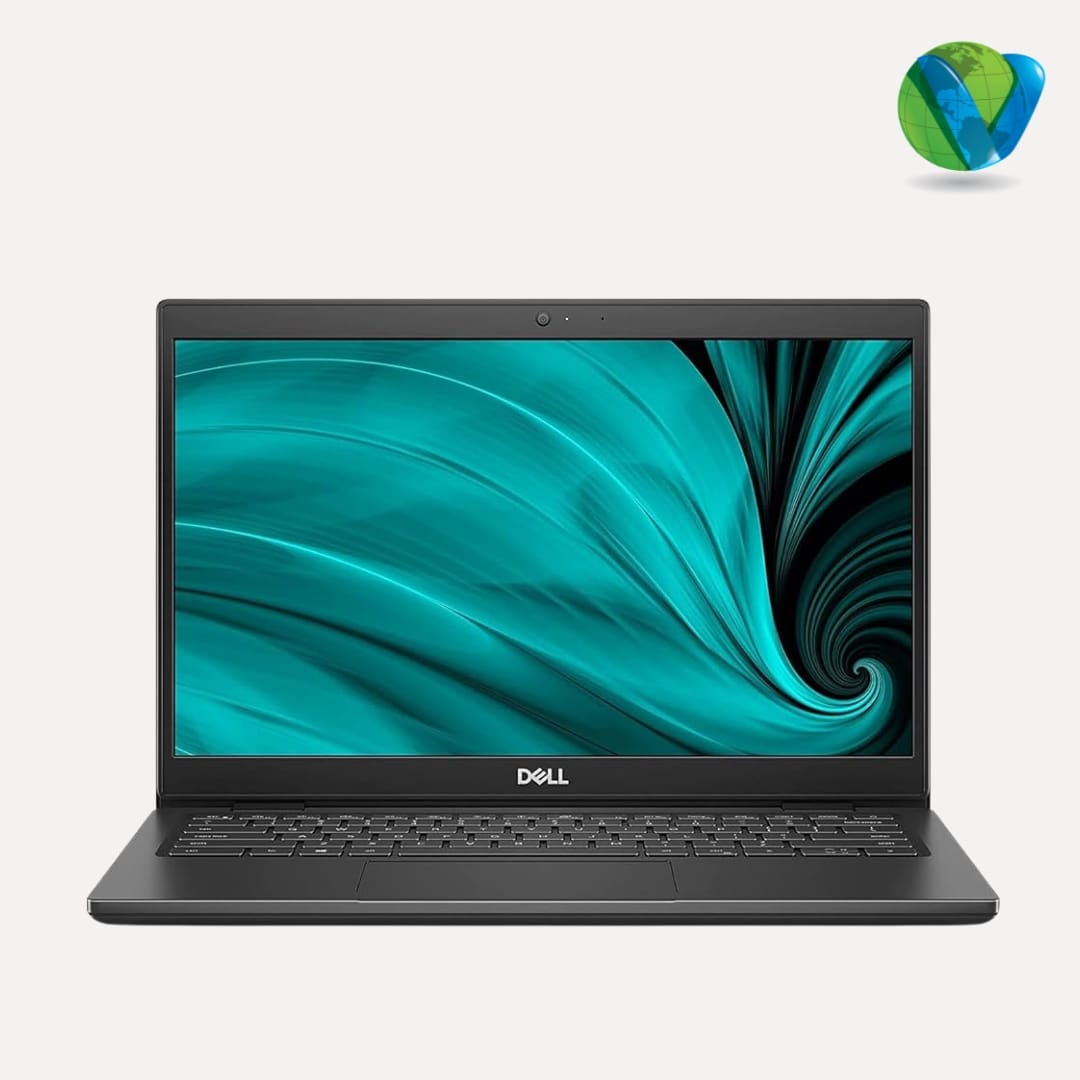
Looking for a reliable laptop for everyday work, studying, browsing, and productivity without spending too much? A Dell Latitude 3420 i3 11th Gen refurbished laptop can be a practical option for users who want business-class features at a more affordable price.
The Dell Latitude series is designed primarily for business and professional users, making it a good fit for office work, online classes, remote work, web browsing, document creation, video calls, and everyday computing.
This particular configuration comes with an 11th Gen Intel Core i3 processor and 512GB SSD storage, offering a useful combination of modern processing capability and fast storage for everyday tasks.
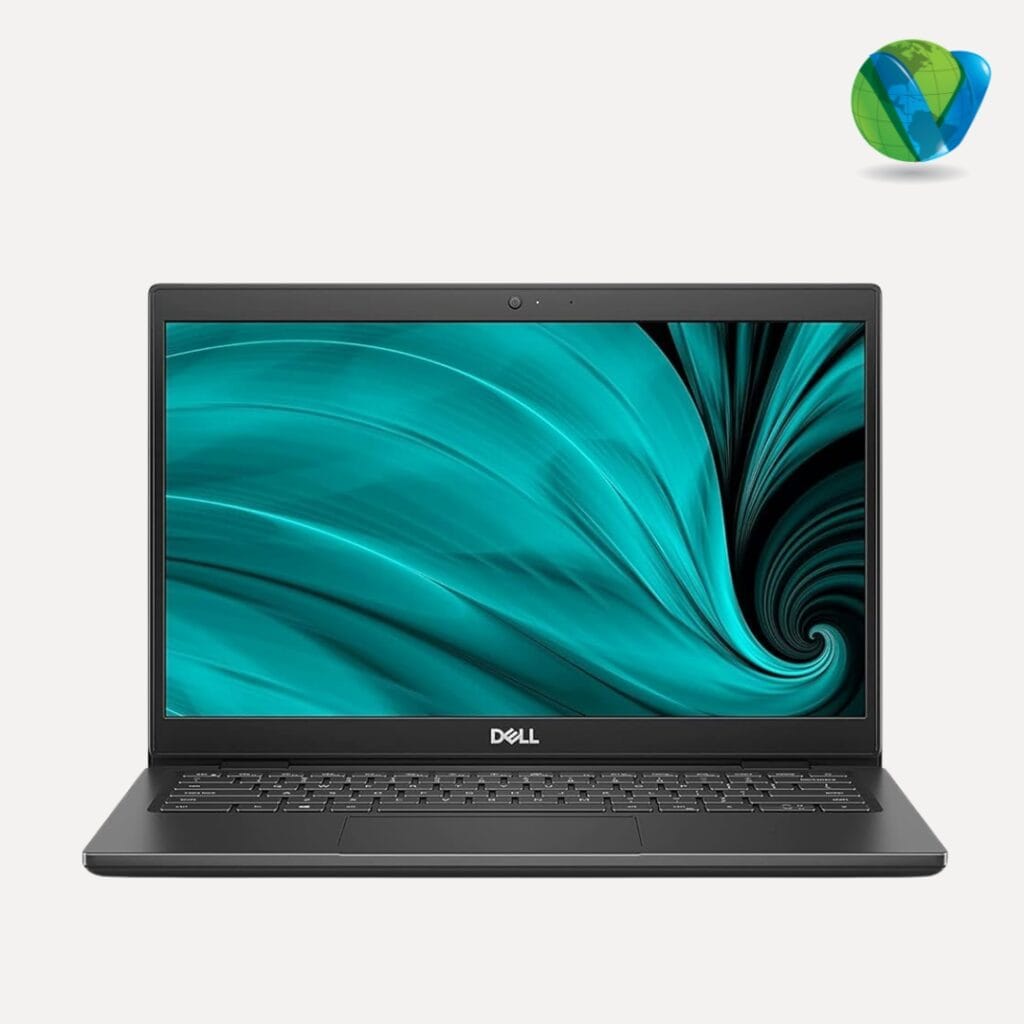
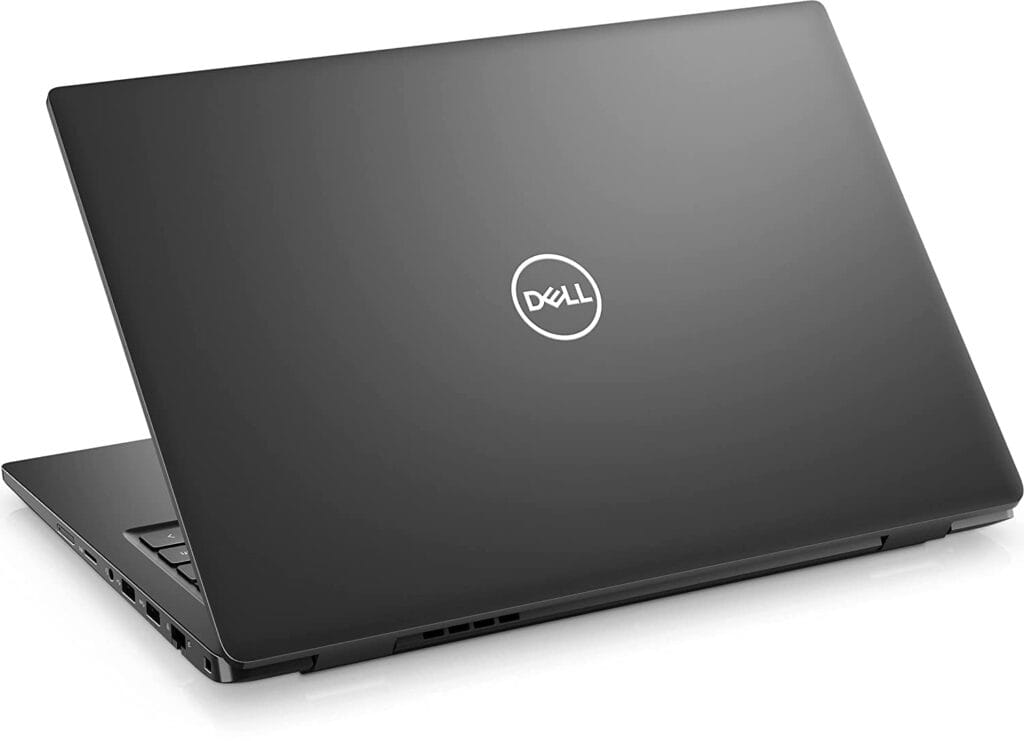
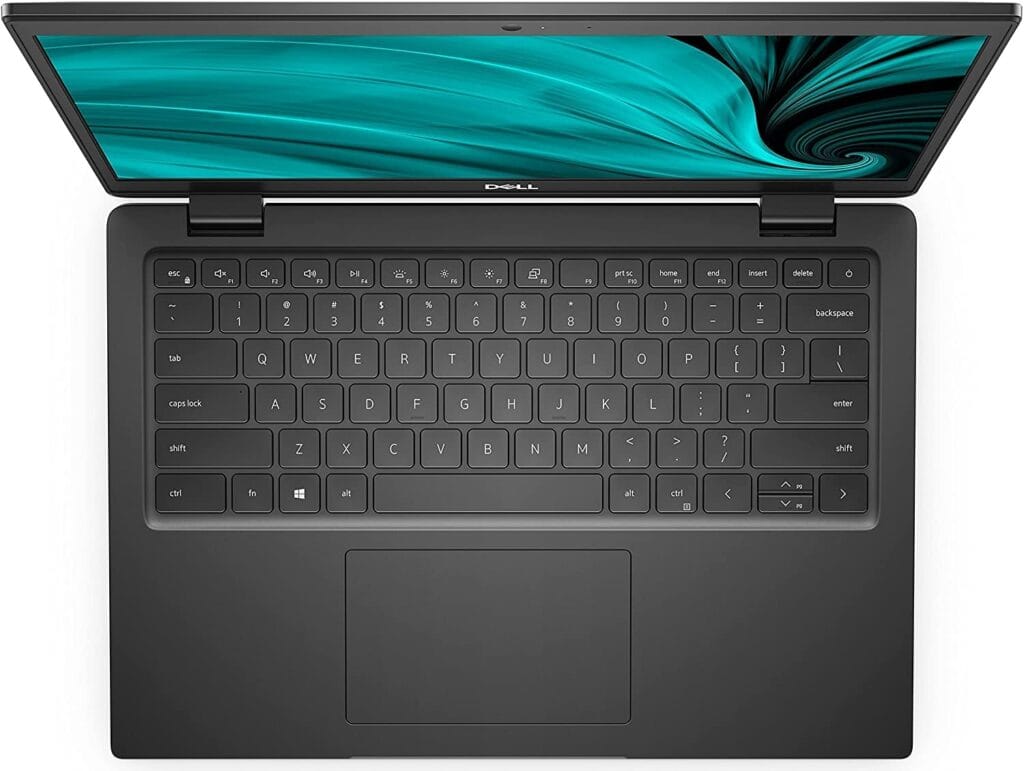
Dell Latitude 3420 i3 11th Gen Specifications
| Specification | Details |
|---|---|
| Brand | Dell |
| Model | Latitude 3420 |
| Processor | Intel Core i3 11th Gen |
| Storage | 512GB SSD |
| Laptop Type | Business / Productivity Laptop |
| Condition | Refurbished / Pre-owned |
| Suitable For | Office work, students, browsing, productivity, remote work and everyday use |
Note: RAM, display configuration, operating system, battery condition and other specifications can vary between refurbished units. Check the individual product listing for the exact configuration before purchasing.
What Makes the Dell Latitude 3420 a Good Everyday Laptop?
The Dell Latitude 3420 is part of Dell’s Latitude business laptop range. Unlike gaming laptops that prioritize graphics performance, Latitude laptops are designed around practical business and productivity requirements.
For users who mainly need a laptop for documents, spreadsheets, browsing, online meetings, emails, presentations and learning, the Latitude 3420 can be a sensible choice.
The 11th Gen Intel Core i3 processor provides enough processing capability for many everyday computing tasks, while the 512GB SSD provides fast storage and useful capacity for documents, applications, media and other files.
Dell Latitude 3420 Performance for Everyday Tasks
The processor is one of the most important components to consider when buying an affordable laptop.
An 11th Gen Intel Core i3 processor is aimed at everyday computing rather than high-end gaming or professional workstation workloads. It can be suitable for tasks such as:
- Web browsing
- Microsoft Office applications
- Word processing
- Spreadsheets
- Presentations
- Video conferencing
- Online classes
- Research
- Streaming
- Basic multitasking
- General productivity
For these types of workloads, choosing a laptop with an SSD can make a noticeable difference to the overall user experience.
Why Is a 512GB SSD Useful?
Storage is another important advantage of this configuration.
The 512GB SSD provides considerably more space than smaller entry-level storage configurations. It gives users room for the operating system, applications, documents, photographs, videos and other personal files.
An SSD also provides faster storage access than a traditional mechanical hard drive. This can help with everyday activities such as starting the laptop, launching applications and accessing files.
For a student or office user who does not maintain a very large collection of high-resolution videos or games, 512GB can provide a practical amount of storage.
Is the Dell Latitude 3420 Good for Students?
Yes, the Dell Latitude 3420 can be a practical laptop for students whose primary requirements are productivity and online learning.
Students can use it for:
- Online classes
- Research and browsing
- Microsoft Word
- Excel and PowerPoint
- Assignments
- Presentations
- Programming fundamentals
- Video conferencing
- PDF documents
- Educational applications
The 512GB SSD also gives students useful space for assignments, study materials, applications and personal files.
However, students looking for a laptop specifically for high-end gaming, advanced 3D rendering or intensive video production should consider a laptop with a more powerful processor and dedicated graphics.
Is Dell Latitude 3420 Good for Office Work?
The Dell Latitude range is particularly well suited to office and professional productivity.
An i3 11th Gen configuration can be appropriate for users whose daily workload consists mainly of:
- Microsoft Office
- Excel spreadsheets
- Word documents
- PowerPoint presentations
- Web-based business applications
- Video meetings
- CRM software
- Accounting applications
- Document management
For a small business, home office or employee who primarily uses cloud applications and standard productivity software, a refurbished Dell Latitude can offer good value compared with purchasing a new entry-level laptop.
Dell Latitude 3420 for Work From Home
Remote workers often need a laptop capable of handling several everyday applications at once.
The Latitude 3420 can be used for activities such as attending online meetings, responding to emails, working on documents, browsing the internet and using cloud-based applications.
It can therefore be a practical choice for:
- Freelancers
- Remote employees
- Small business owners
- Students
- Teachers
- Administrative professionals
- Home-office users
Before purchasing a refurbished laptop for professional use, however, it is worth checking the battery condition, webcam, speakers, keyboard, ports and charger.
Why Buy a Refurbished Dell Latitude 3420?
One of the biggest reasons people choose refurbished laptops is value for money.
A refurbished Dell Latitude 3420 can provide access to business-oriented hardware without the cost of purchasing a comparable new business laptop.
This can be particularly useful when you have a fixed budget but still want:
- A reputable laptop brand
- An Intel Core processor
- SSD storage
- A business-focused laptop design
- A machine suitable for everyday productivity
The important thing is to purchase from a seller that clearly explains the laptop’s condition and provides appropriate testing, warranty and return information.
What Should You Check Before Buying a Refurbished Laptop?
Not every refurbished laptop is identical. Before purchasing a Dell Latitude 3420, check the actual condition and specifications of the unit.
1. Processor
Confirm that the laptop has the advertised 11th Gen Intel Core i3 processor.
2. RAM
Check how much RAM is installed. RAM has a direct impact on multitasking performance.
3. SSD
Confirm that the laptop includes the advertised 512GB SSD and check whether the storage has been tested.
4. Battery Health
Battery capacity naturally decreases with use. Ask the seller about battery health or expected battery performance.
5. Display
Check the screen for scratches, dead pixels, brightness issues or other visible defects.
6. Keyboard and Touchpad
Make sure all keys, the touchpad and other input controls work correctly.
7. Ports and Connectivity
Check the USB ports, HDMI, audio connection, wireless connectivity and other available ports.
8. Charger
Confirm that a compatible charger is included.
9. Physical Condition
Refurbished laptops can have cosmetic marks from previous use. Check the seller’s condition grade and product photographs.
10. Warranty and Return Policy
A clear warranty and return policy can provide additional confidence when buying a refurbished laptop.
Dell Latitude 3420 vs a New Budget Laptop
Should you buy a refurbished Dell Latitude 3420 or a new budget laptop?
The answer depends on what matters most to you.
A new entry-level laptop gives you a brand-new device and potentially newer hardware. However, budget models can sometimes compromise on build quality, connectivity or overall business-oriented design to achieve a lower price.
A refurbished Dell Latitude 3420 may be attractive if your priority is getting a capable business laptop at a lower cost.
For users who primarily need productivity rather than maximum performance, refurbished business laptops can be an interesting alternative to inexpensive new consumer laptops.
Dell Latitude 3420 for Business Users
Small businesses often need to equip employees with reliable computers while keeping hardware costs under control.
A refurbished Dell Latitude 3420 can be considered for roles that mainly require standard productivity applications, including:
- Administration
- Customer support
- Data entry
- Sales
- Accounting
- Human resources
- Education
- General office work
The suitability will depend on the software used by the organization and the exact RAM and hardware configuration of the laptop.
Who Should Buy the Dell Latitude 3420 i3 11th Gen?
The Dell Latitude 3420 i3 11th Gen refurbished laptop is best suited to users who want a practical machine for everyday computing.
Good choice for:
- Students
- Office workers
- Remote workers
- Freelancers
- Small businesses
- Home-office users
- General browsing and productivity
Consider another laptop if you need:
- High-end gaming
- Advanced 3D rendering
- Professional video production
- Heavy workstation workloads
- Dedicated high-performance graphics
The right laptop ultimately depends on your applications and workload.
Pros and Cons of the Dell Latitude 3420
Pros
- 11th Gen Intel Core i3 processor
- 512GB SSD storage
- Suitable for everyday productivity
- Good option for students and office users
- Business-oriented Dell Latitude platform
- Refurbished pricing can offer better value
Cons
- Not designed as a high-performance gaming laptop
- Not ideal for demanding 3D workloads
- Refurbished units can have cosmetic signs of previous use
- Battery condition may vary between units
- Exact specifications can vary, so buyers should check the individual listing
Frequently Asked Questions
Is the Dell Latitude 3420 i3 11th Gen good for students?
Yes. It can be a good option for students who primarily need a laptop for online classes, browsing, assignments, presentations, Microsoft Office and general productivity.
Is the Dell Latitude 3420 good for office work?
Yes. The Latitude series is designed for business and productivity use, and an i3 11th Gen configuration can handle many common office tasks such as documents, spreadsheets, email, web applications and video meetings.
Is 512GB SSD enough for everyday laptop use?
For most office, student and general-purpose users, 512GB provides a useful amount of storage for applications, documents, photos and other personal files.
Is the Dell Latitude 3420 good for gaming?
The Dell Latitude 3420 is primarily a business and productivity laptop rather than a gaming laptop. It is suitable for everyday computing, but users looking for demanding gaming performance should consider a laptop designed specifically for gaming with dedicated graphics.
Is a refurbished Dell Latitude worth buying?
A refurbished Dell Latitude can be worth considering when the laptop has been properly tested and is offered with clear condition information, warranty coverage and a reasonable return policy.
What should I check when buying a refurbished Dell Latitude 3420?
Check the processor, RAM, 512GB SSD, battery health, display, keyboard, touchpad, ports, charger, physical condition, warranty and return policy.
Who is the Dell Latitude 3420 best for?
The Dell Latitude 3420 is particularly suitable for students, office workers, remote workers, freelancers, small businesses and users who need an affordable laptop for everyday productivity.
Final Verdict
The Dell Latitude 3420 i3 11th Gen refurbished laptop is a practical option for users who want an affordable laptop for everyday work, studying, browsing and productivity.
Its 11th Gen Intel Core i3 processor and 512GB SSD make it suitable for a range of common computing tasks, while its position within Dell’s Latitude range makes it particularly relevant to business and professional users.
If your requirements are primarily Office applications, web browsing, online classes, remote work, documents, presentations and general productivity, this type of refurbished Dell laptop can offer a strong balance between capability and cost.
Before purchasing, make sure you check the exact RAM, display, battery condition, operating system, physical condition and warranty of the individual refurbished unit.
For buyers who prioritize value and everyday productivity over high-end gaming or workstation performance, the Dell Latitude 3420 i3 11th Gen is a model worth considering.